Available on the App Store and Google Play
Convert images into
clean PDFs
LyoPDF turns photos, camera captures, imported images, and PDF pages into polished, shareable documents on iPhone, iPad, and Android.
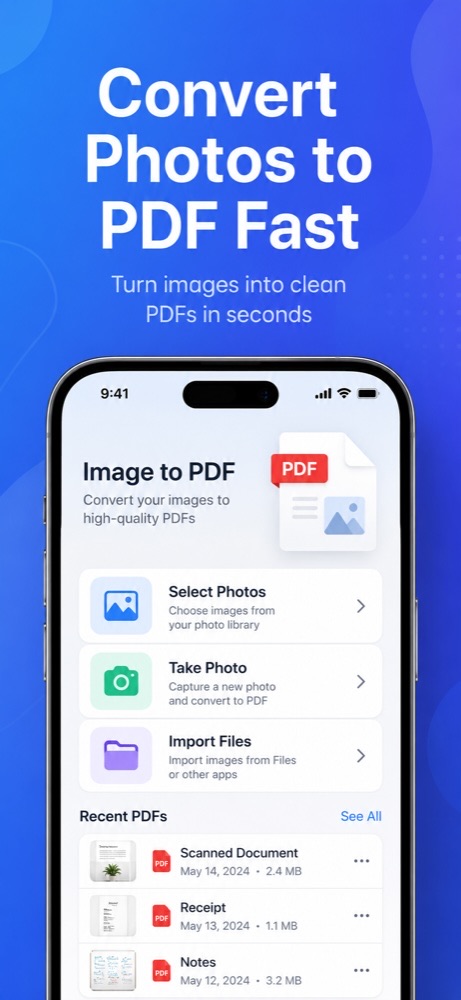
LyoPDF turns photos, camera captures, imported images, and PDF pages into polished, shareable documents on iPhone, iPad, and Android.
Capture pages, bring in existing files, adjust the order, and export a PDF without sending your document content to a server.
Select up to 60 images from Photos or capture new pages directly with the camera.
Import images from Files or bring an existing PDF back into the builder as editable pages.
Auto-detect document edges, crop manually, rotate pages, and apply enhancement, grayscale, or black-and-white filters.
Reorder, duplicate, remove, and fine-tune pages before creating the final document.
Choose paper size, orientation, margins, fit mode, and page range with a live PDF preview.
Recent PDFs are saved locally, and Face ID Lock can help protect access to your documents.
Start from Photos, the camera, image files, or an existing PDF.
Put pages in the right order, crop edges, rotate, duplicate, and apply filters where helpful.
Review the generated PDF with your selected layout and export settings before saving.
Export to local storage, keep recent PDFs available, rename files, and share them through iOS.
Download LyoPDF for iPhone, iPad, or Android to create clean PDFs from photos, scans, and imported files.
Open App Store Open Google Play